
How to disable virtual cloud network firewall on Oracle Cloud
When running VM instances on Oracle Cloud, you might want to use all ports, not just the few ports that are open by default. This post shows how to disable the Virtual Cloud Network firewall altogether. Additionally, you need to configure the instance firewall e.g. via SSH. For Ubuntu, see How to disable instance firewall on Ubuntu on Oracle Cloud.
You need to use firefox to access the UI. It will not work in chrome!
First login to the cloud network dashboard at https://cloud.oracle.com/networking/vcns
Now click the virtual cloud network:

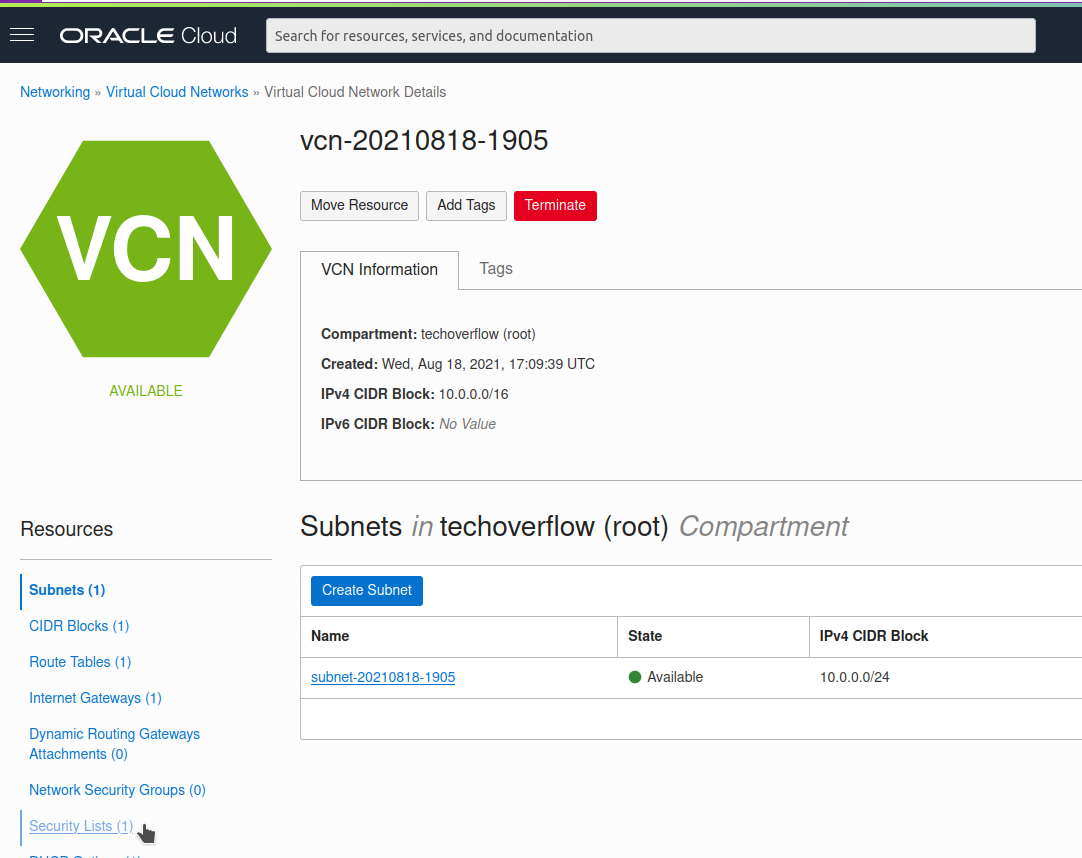
Now click Security listson the bottom left:
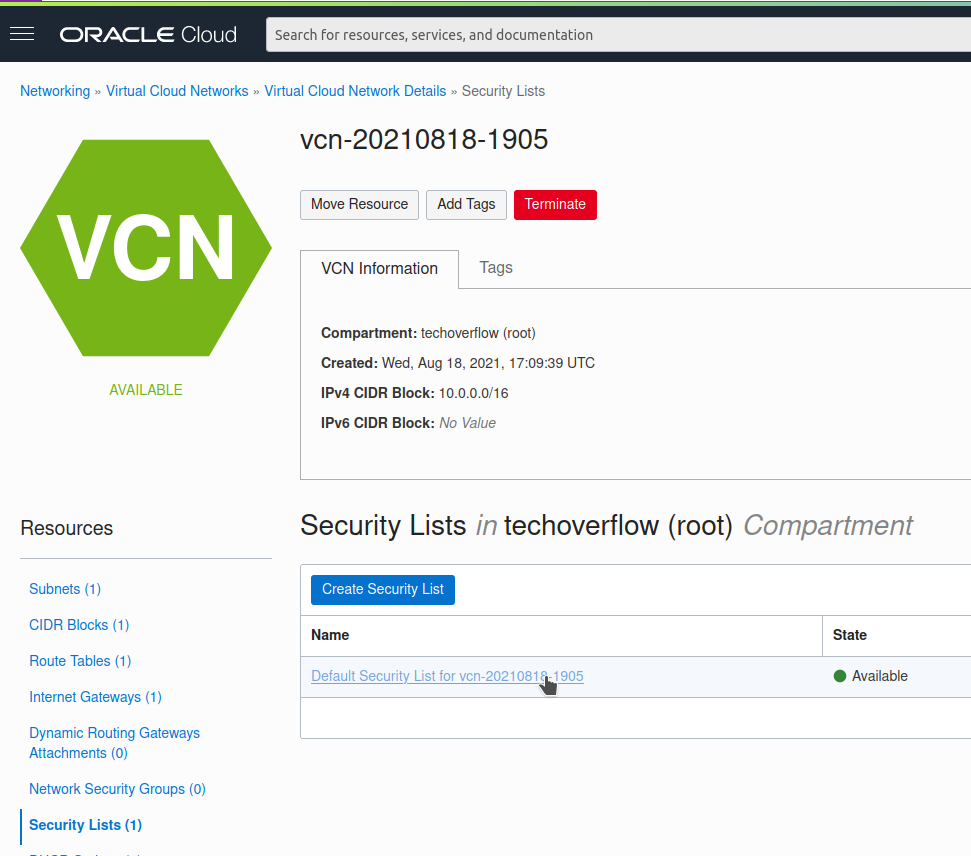
Click the Default security list (which has been automatically created)
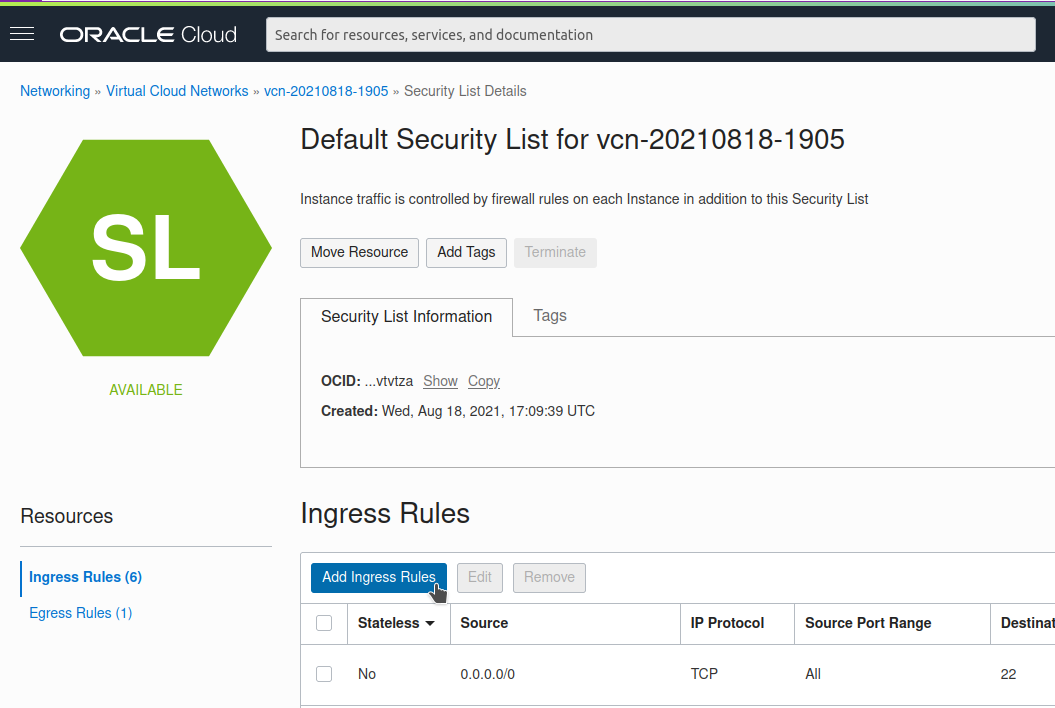
Click Add Ingress Rules
Enter source 0.0.0.0/0 (i.e. all IP addresses) and IP protocol All protocols:
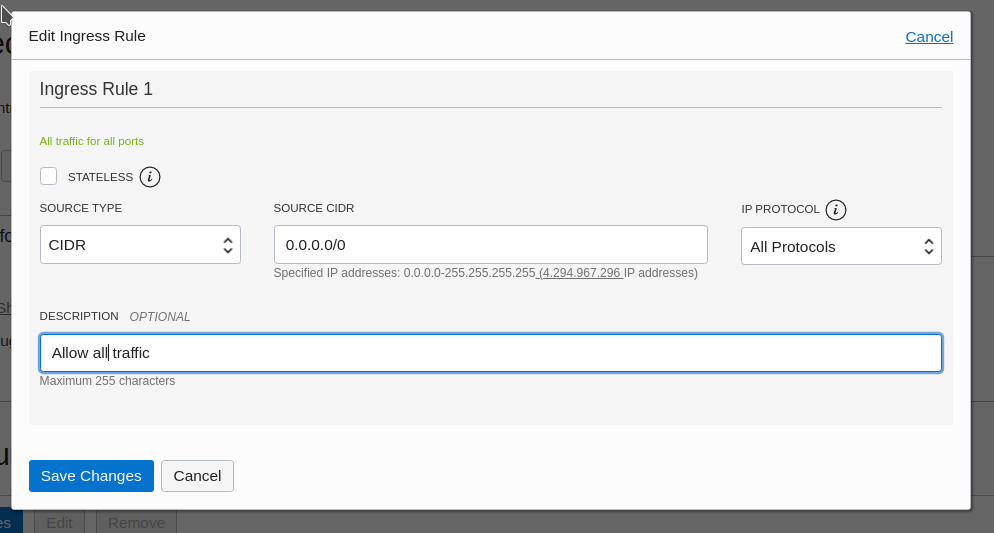
Now click Save changes and don’t forget to configure your instance firewall