
How to enable KiCAD snap to pads in measure distance mode
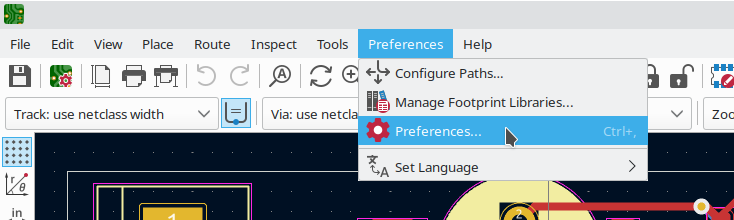
In order to enable snapping to pads (also called magnetic pads) in KiCAD pcbnew, open Preferences -> Preferences:
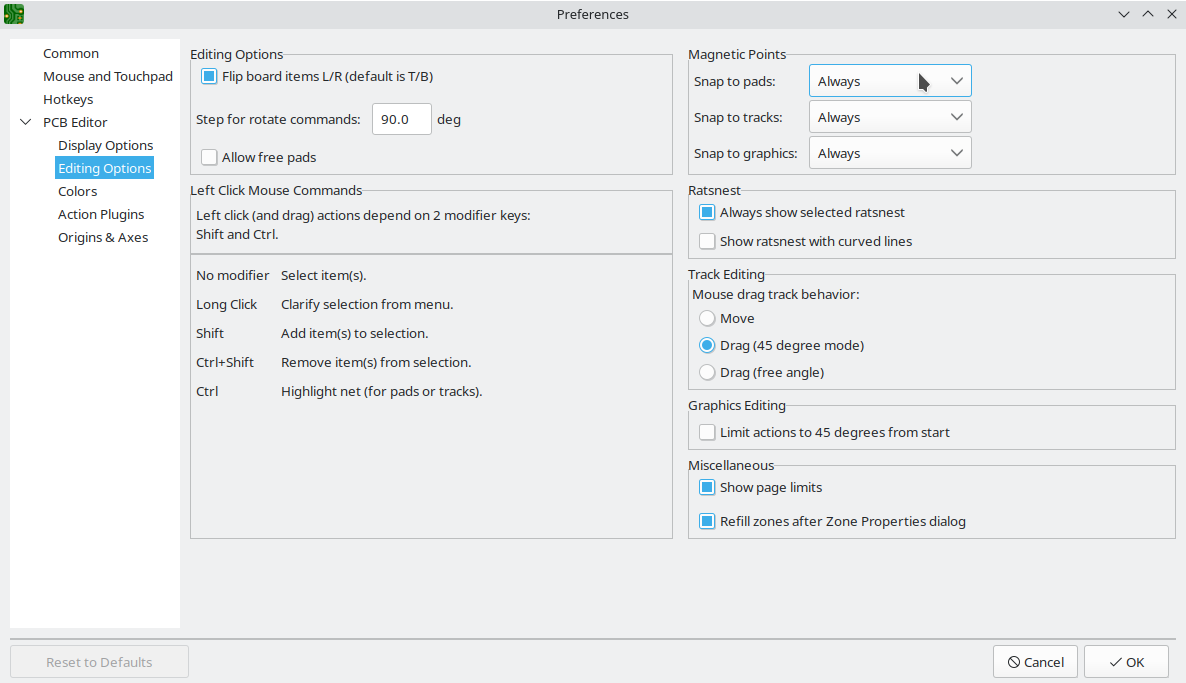
and then open PCB Editor -> Editing Options, and set Magnetic Points -> Snap to pads to Always:
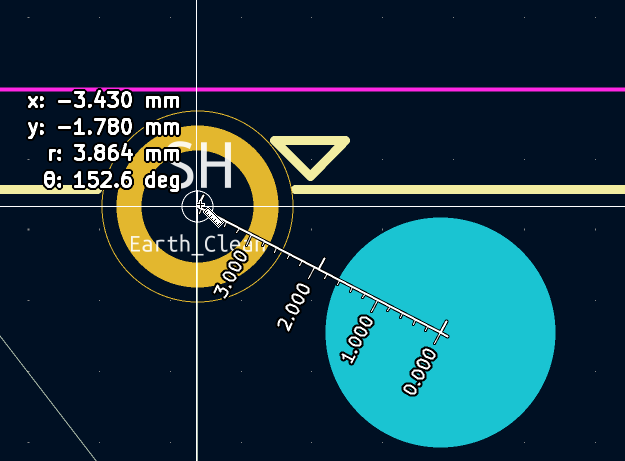
After you click OK, you can snap to points when using the Ctrl+M Interactively measure distance between points tool:
Check out similar posts by category:
KiCad
If this post helped you, please consider buying me a coffee or donating via PayPal to support research & publishing of new posts on TechOverflow