
How to fix Allnet ALL3073V2 'Remote control functionality not activated!'
Problem:
When trying to access an ALL3073V2 device via the xml/jsonswitch.php API (e.g. http://192.168.0.100/xml/jsonswitch.php?id=1), you get the following error message:
api_error.json
{
  "error": "777994",
  "text": "Remote control functionality not activated!"
}Solution
You need to activate the remote control functionality via the webinterface.
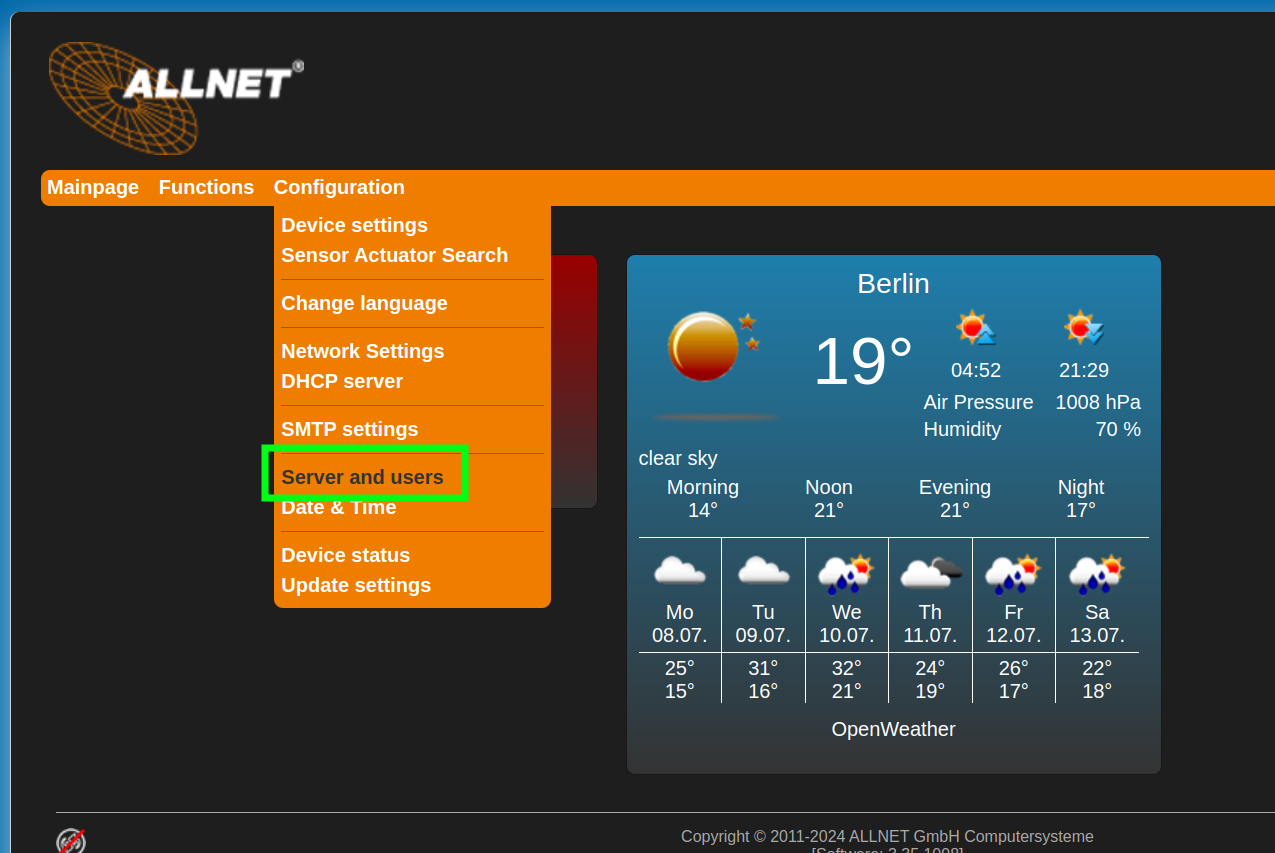
Open the webinterface, then open Configuration -> Servers and users:
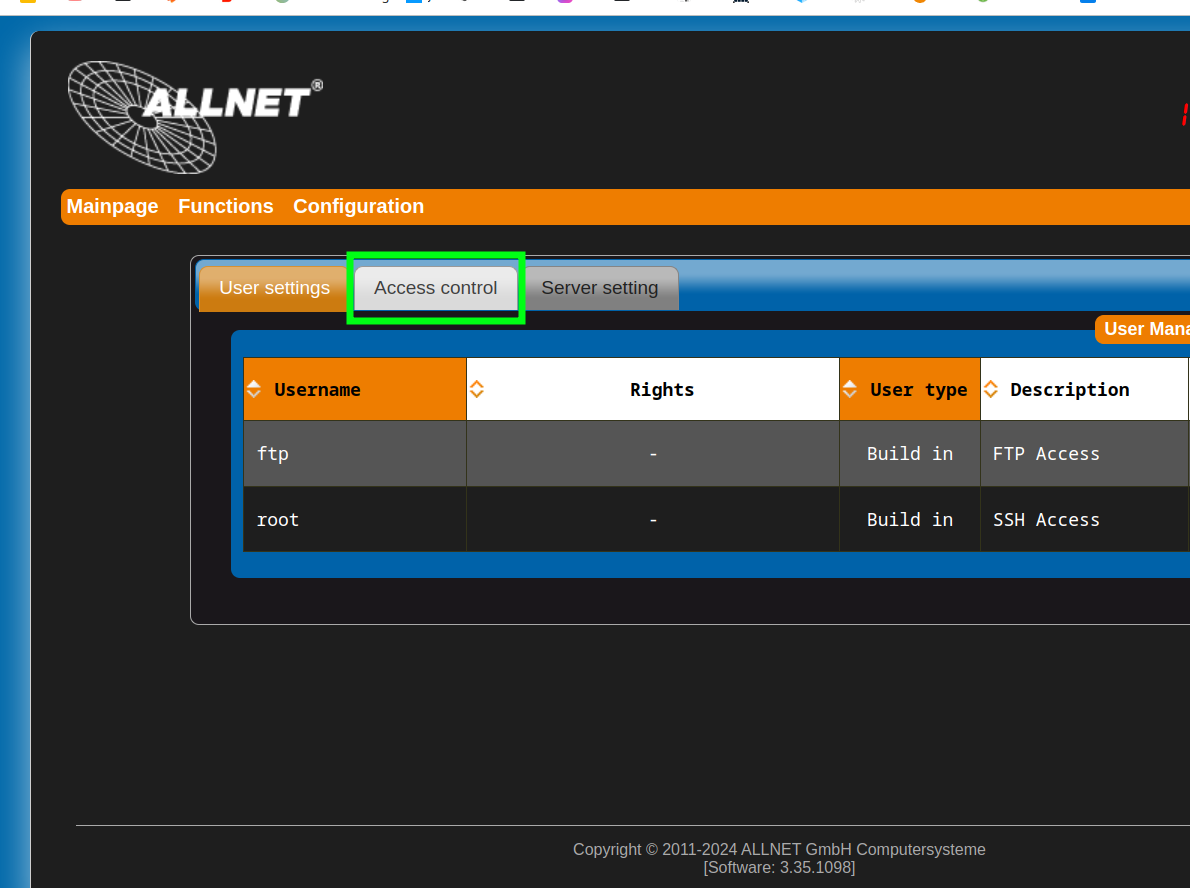
Now click on the Access control tab:
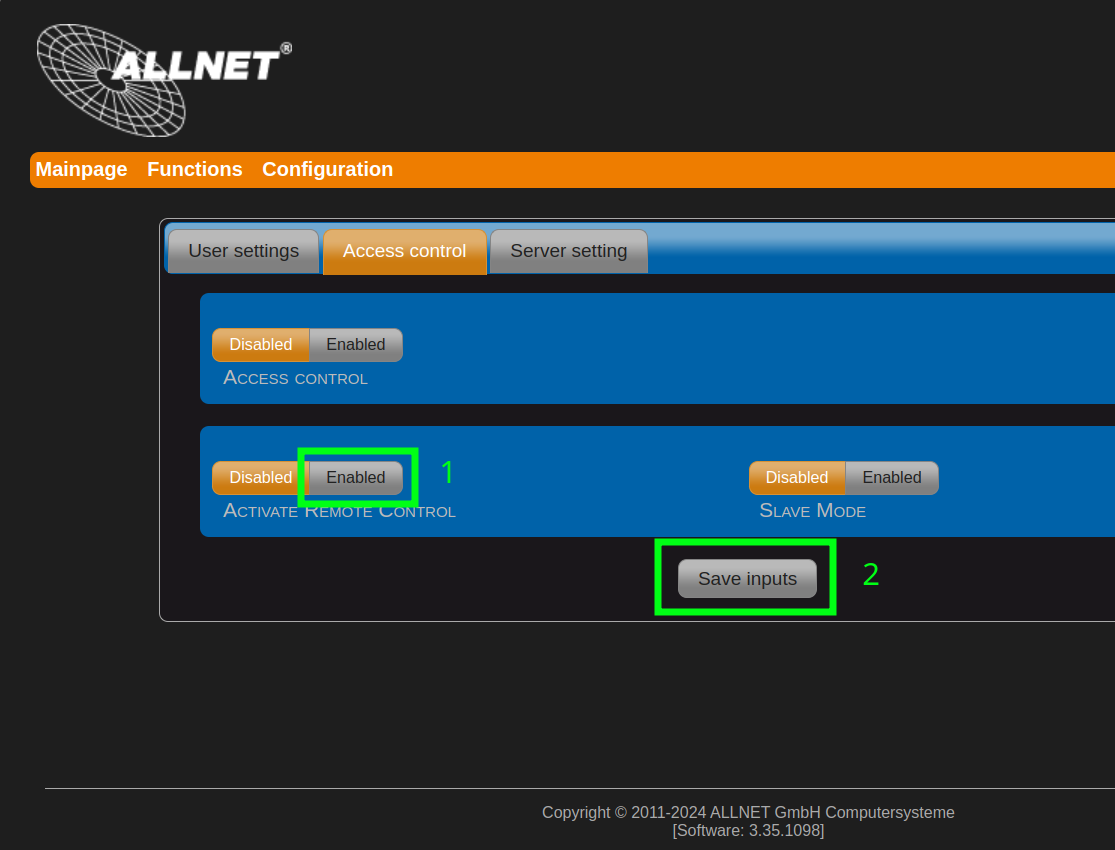
After that, first click on the Activate Remote Control Enable button.
Once you’ve done that, you can now click on the Save inputs button:
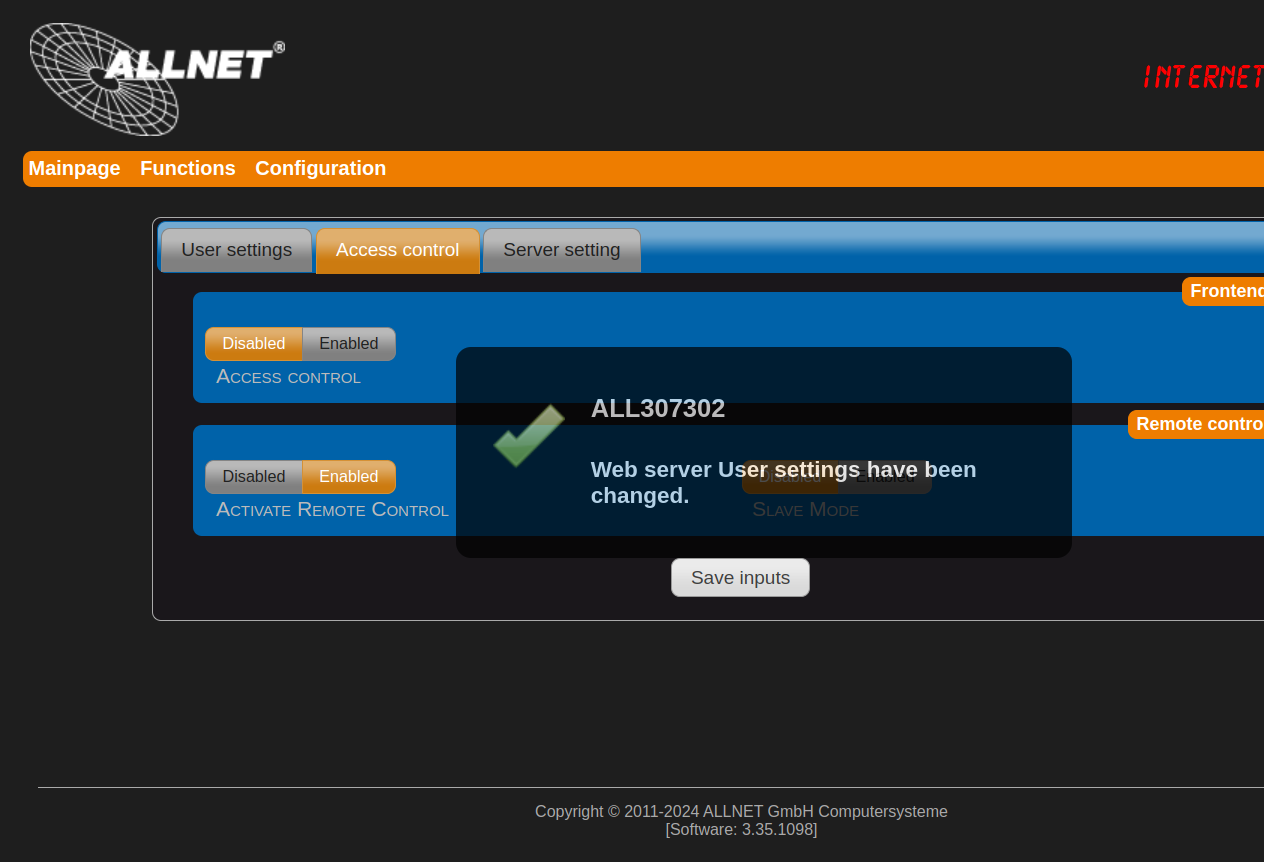
The device will then confirm the change:
You can now access the JSON API immediately, no reboot etc is required.
Check out similar posts by category:
Networking
If this post helped you, please consider buying me a coffee or donating via PayPal to support research & publishing of new posts on TechOverflow