
Europa-Karte mit Cartopy zeichnen
Man kann einfach eine Europa-Karte mit Cartopy zeichnen, indem die Ausdehnung auf [-13, 45, 30, 70] gesetzt wird:
how-to-draw-europe-map-using-cartopy.py
ax.set_extent([-13, 45, 30, 70])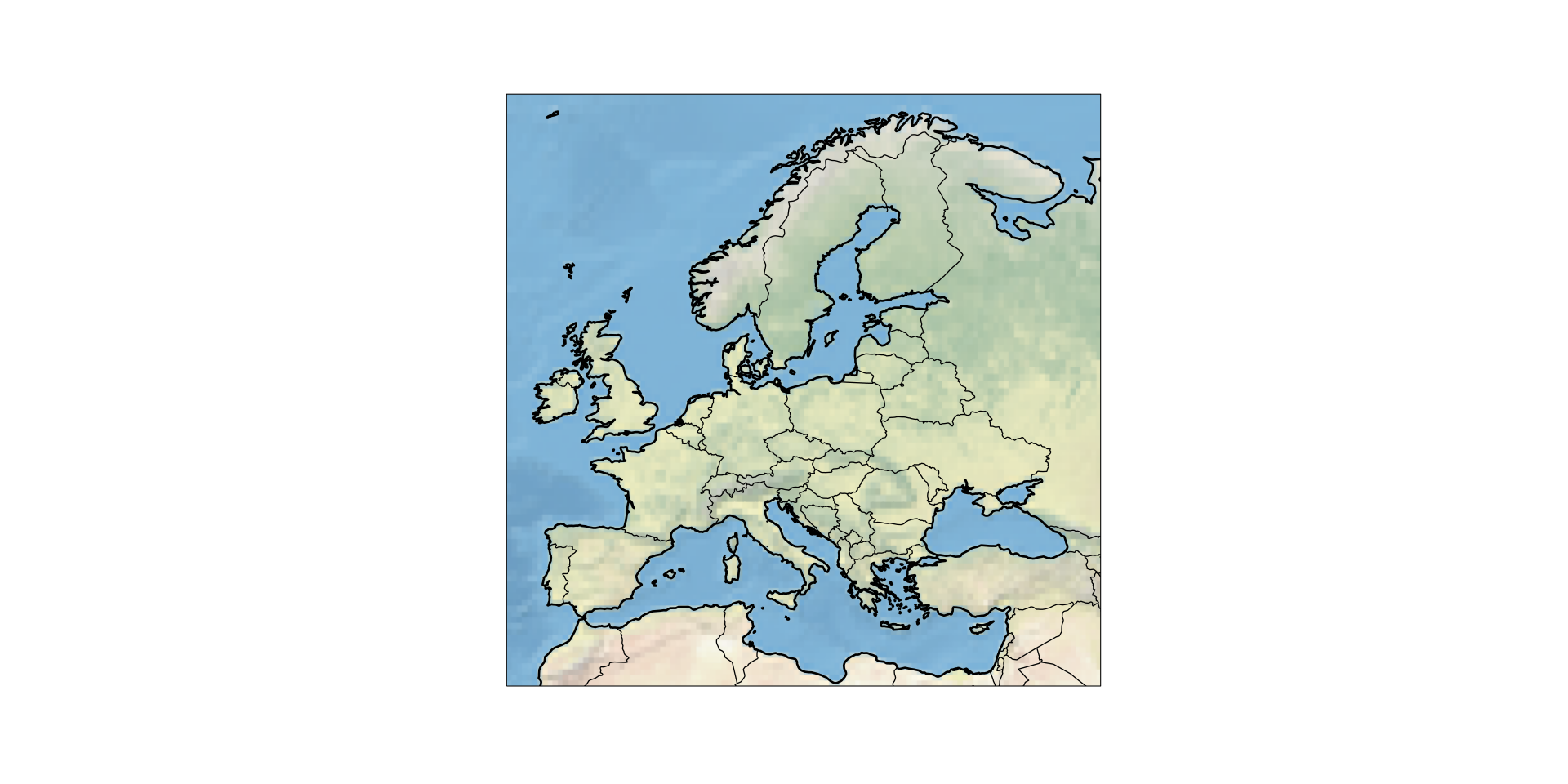
Vollständiger Beispielcode
Der obige Code erzeugt das oben gezeigte Bild:
europe_cartopy_complete.py
import cartopy.crs as ccrs
import cartopy.feature as cf
from matplotlib import pyplot as plt

proj = ccrs.Miller()
ax = plt.axes(projection=proj)
ax.set_extent([-13, 45, 30, 70])
ax.stock_img()

ax.add_feature(cf.COASTLINE, lw=2)
ax.add_feature(cf.BORDERS)
# Abbildung vergrößern
plt.gcf().set_size_inches(20, 10)

# Abbildung als SVG speichern
plt.savefig("Europe.svg")If this post helped you, please consider buying me a coffee or donating via PayPal to support research & publishing of new posts on TechOverflow