
如何在 Wordpress 5.0 中使用旧的经典编辑器
TL;DR:安装并激活 Classic Editor 插件。
Wordpress 5.0 引入了新的 Gutenberg 编辑器作为新的默认编辑器。
为了再次默认激活旧的或经典编辑器,转到Plugins -> Install并在右上角的搜索栏中输入classic editor。

左上角的第一个结果应该是此插件:
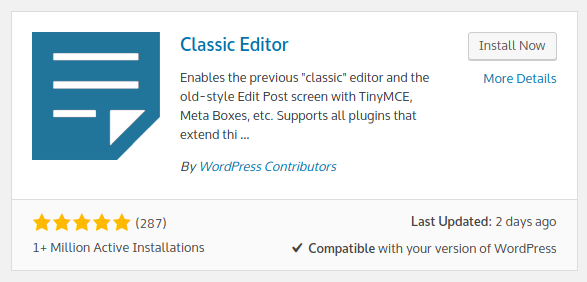
点击该插件右上角的 Install now 安装插件。安装完成后,点击 Activate。之后,经典编辑器将默认激活。
Check out similar posts by category:
Wordpress
If this post helped you, please consider buying me a coffee or donating via PayPal to support research & publishing of new posts on TechOverflow