
如何修复 PIC32 Curiosity Board 在 MPLab X 中灰色/灰显
问题:
你想使用 Curiosity 板上包含的 PicKit 4 板载 (PKoB4) 编程器在 MPLab X 中编程你的 PIC32 Curiosity 板。
然而,当你尝试在项目设置中选择 Curiosity 板时,它灰显,你只能选择模拟器或无工具。
解决方案
你需要使用与 MPLab X IDE 一起安装的 MPLab X IPE 重新编程板载 PicKit 的固件。
打开 MPLab X IPE,打开 Tools 菜单并选择 Hardware Tool Emergency Boot Firmware Recovery
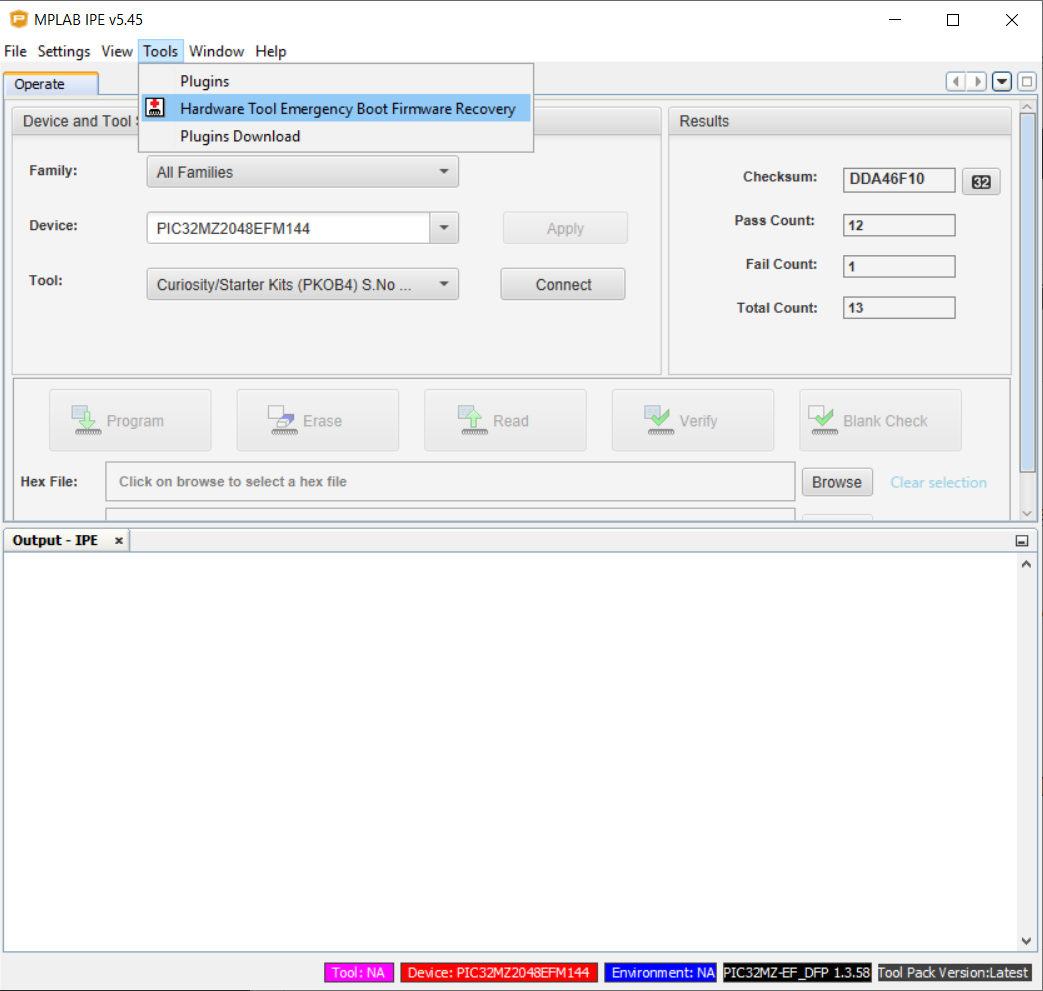
之后,仔细按照说明重新编程 PicKit On Board 4 编程器的固件。
重新刷写 PKoB4 成功后,你将能够在 MPLab X IDE 中选择 Curiosity Board。
Check out similar posts by category:
Electronics, Embedded
If this post helped you, please consider buying me a coffee or donating via PayPal to support research & publishing of new posts on TechOverflow