
在哪里设置 MPLab X PIC32 堆大小
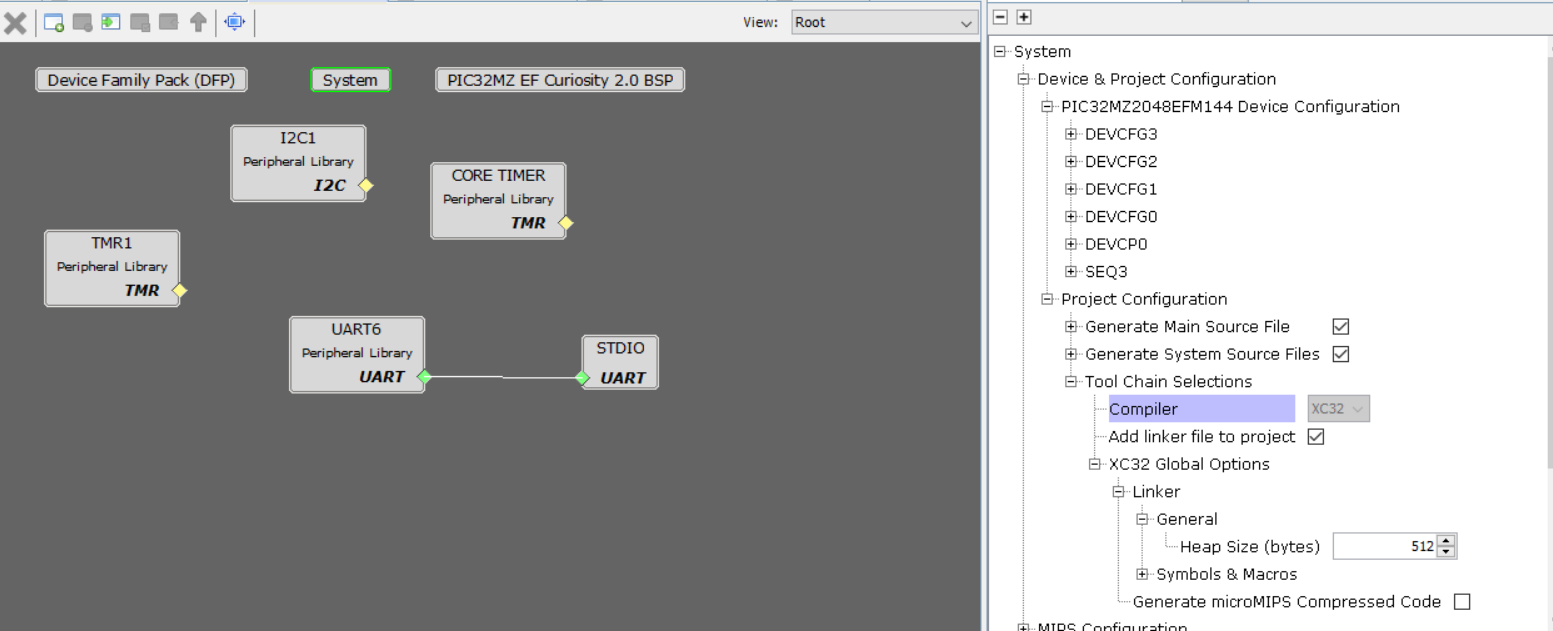
为了设置堆大小,使用 MPLab Harmony 3,在 Project Graph 中点击 System,然后按以下方式打开树:
- Device & Project configuration
- Project configuration
- Tool Chain Selections
- XC32 Global Options
- Linker
- General
并将 Heap Size (bytes) 设置为所需值。
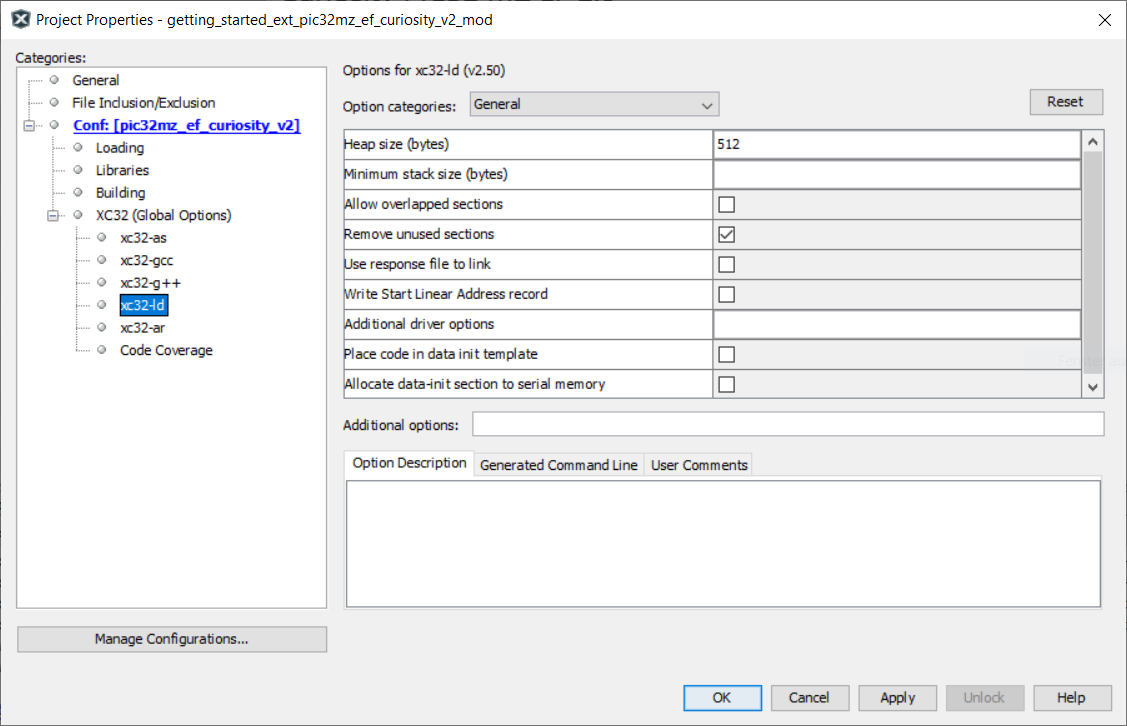
此外,你需要在 project options => XC32 options => xc32-ld options 中设置堆大小:
Check out similar posts by category:
Electronics, Embedded
If this post helped you, please consider buying me a coffee or donating via PayPal to support research & publishing of new posts on TechOverflow