
OCCUtils 完整示例:制作盒子并导出为 STEP
此示例使用 OCCUtils 的 Primitive::MakeBox 创建盒子(或查看如何在 OpenCASCADE 中创建 Box TopoDS_Solid)并将其导出为 STEP 文件。
首先,初始化 git 仓库:
occutils_make_box.sh
git initoccutils_submodule.sh
git submodule init
git submodule add https://github.com/ulikoehler/OCCUtils.git OCCUtils现在我们可以添加 CMake 配置:
CMakeLists.txt
project(mkbox)
cmake_minimum_required(VERSION 3.3)

add_subdirectory(OCCUtils)

add_executable( mkbox main.cpp )
add_dependencies( mkbox occutils )
target_include_directories( mkbox PUBLIC /usr/include/opencascade/ )
target_link_libraries( mkbox
    occutils
    TKernel
    TKMath
    TKFillet
    TKBinXCAF
    TKBRep
    TKBO
    TKFeat
    TKG2d
    TKXDESTEP
    TKG3d
    TKGeomAlgo
    TKGeomBase
    TKHLR
    TKIGES
    TKPrim
    TKShHealing
    TKSTEP
    TKSTEP209
    TKSTEPAttr
    TKSTEPBase
    TKXSBase
    TKSTL
    TKTopAlgo
    TKV3d
    TKOffset
    TKService
)以及主要源代码:
mkbox.cpp
#include <occutils/Primitive.hxx>
#include <occutils/STEPExport.hxx>
#include <vector>

using namespace OCCUtils;

int main() {
    TopoDS_Solid myCube = Primitive::MakeBox(5.0 /* X size */, 7.0 /* Y size */, 9.0 /* Z size */);

    STEP::ExportSTEP(myCube, "out.step");
}现在我们可以使用以下命令配置和构建
build_mkbox.sh
cmake .
make运行程序时使用
run_mkbox.sh
./mkbox我们看到以下调试输出:
mkbox_output.txt
*******************************************************************
******        Statistics on Transfer (Write)                 ******

*******************************************************************
******        Transfer Mode = 0  I.E.  As Is       ******
******        Transferring Shape, ShapeType = 2                      ******
** WorkSession : Sending all data
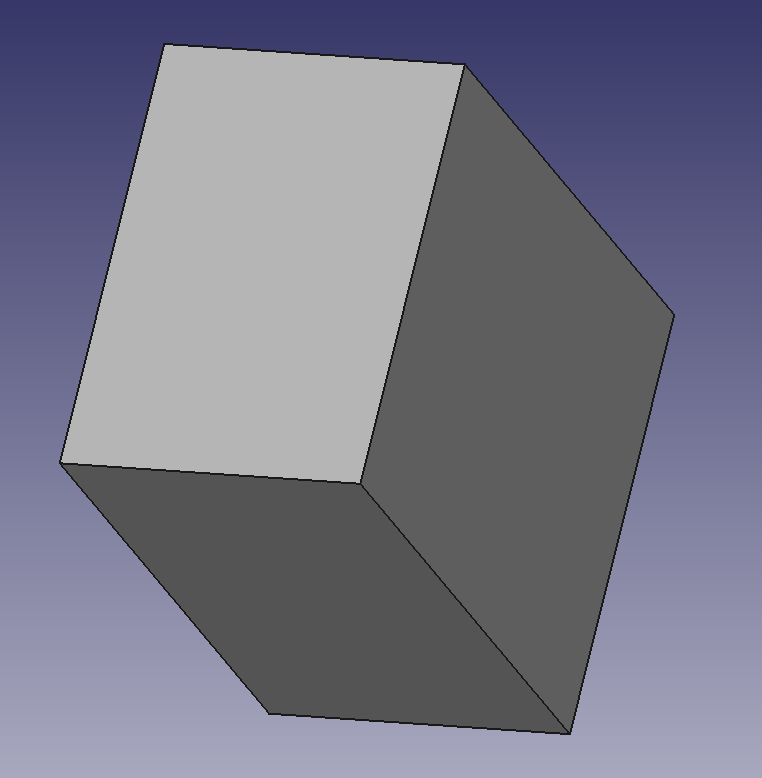
Step File Name : out.step(350 ents) Write Donemkbox 将生成 out.step,你可以在例如 FreeCAD 中打开它以查看生成的 STEP 文件:
Check out similar posts by category:
C/C++, OpenCASCADE
If this post helped you, please consider buying me a coffee or donating via PayPal to support research & publishing of new posts on TechOverflow