
如何修复 InvenTree remote_image: Downloading images from remote URL is not enabled
问题:
尝试使用 remote_image URL 创建 InvenTree 对象时,你看到类似这样的错误消息
inventree_remote_image_error.txt
requests.exceptions.HTTPError: {'detail': 'Error occurred during API request', 'url': 'https://inventree-test.mydomain.com/api/company/', 'method': 'POST', 'status_code': 400, 'body': '{"remote_image":["Downloading images from remote URL is not enabled"]}', 'headers': {'AUTHORIZATION': 'Token 6daae3817756e9c1a3603b14d9582e61f50db388'}, 'params': {'format': 'json'}, 'data': {'name': 'DigiKey', 'website': 'https://www.digikey.de/', 'remote_image': 'https://logodix.com/logo/1667872.jpg', 'description': '', 'is_manufacturer': False, 'is_supplier': True, 'is_customer': False, 'currency': 'EUR'}}解决方案
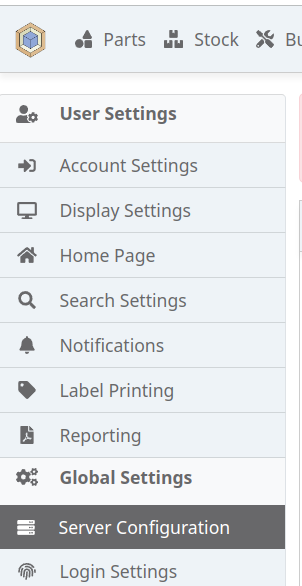
打开 InvenTree Web 界面,在左侧打开 Server Configuration
并启用 Download from URL。
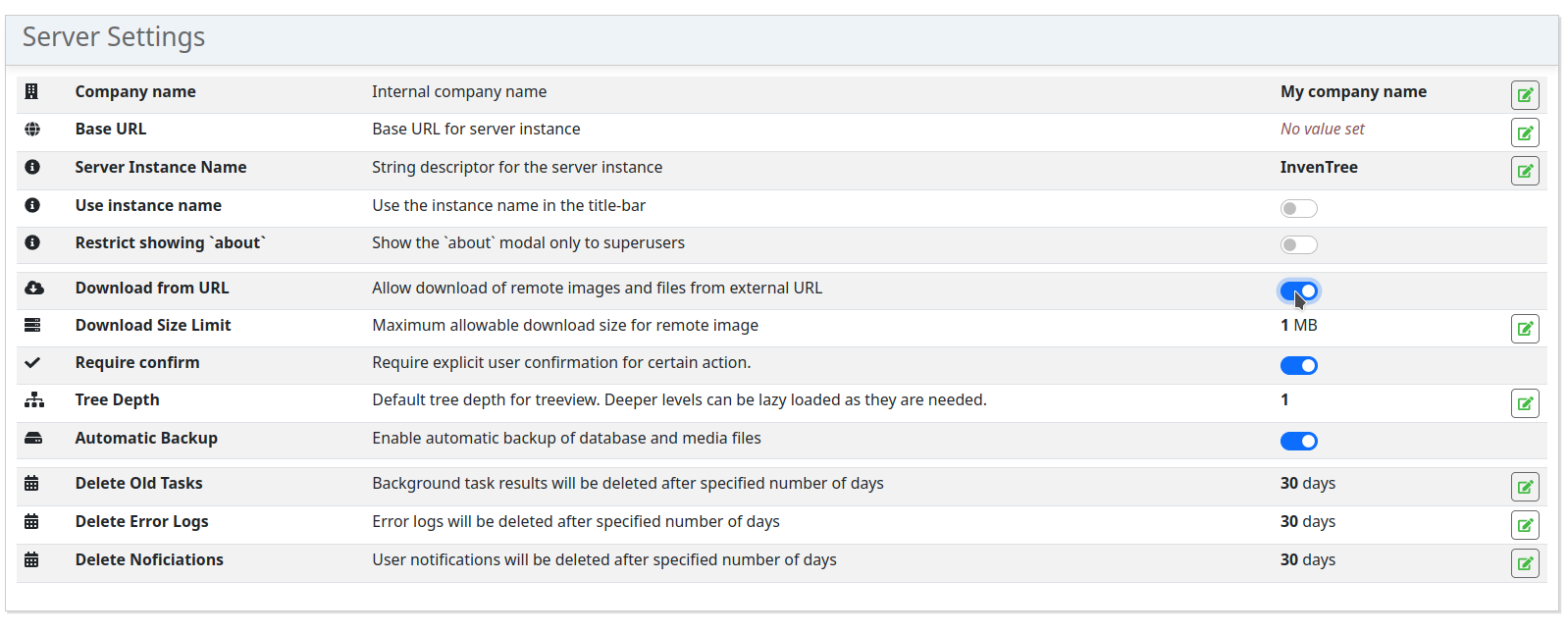
该设置将立即生效。无需点击任何 Apply 按钮或重启服务器。
Check out similar posts by category:
Allgemein
If this post helped you, please consider buying me a coffee or donating via PayPal to support research & publishing of new posts on TechOverflow