
如何修复 KiCAD JLCPCB 制造插件错误:The wx.App object must be created first!
问题:
在 KiCAD 中运行 JLCPCB 制造插件导出制造数据时,你看到以下错误消息:
wx_error.txt
wx._core.PyNoAppError: The wx.App object must be created first!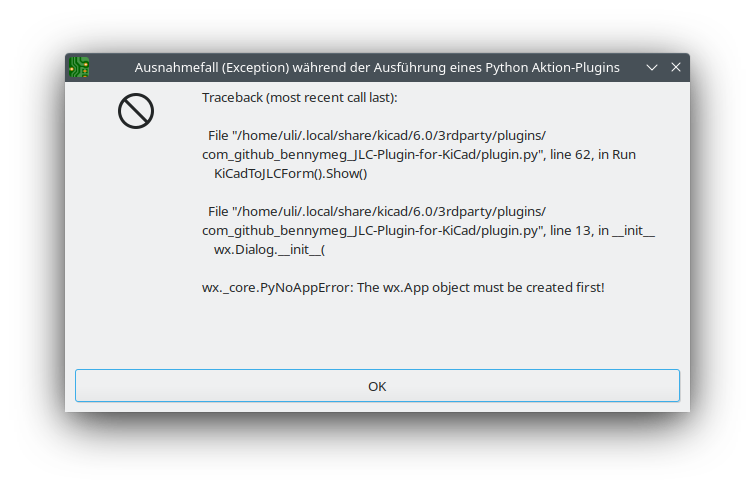
解决方案
这似乎是当前版本 JLCPCB 制造插件的一个 bug,但你可以通过在 plugin.py 中添加一行来轻松修复,该文件位于:
plugin_path.txt
/home/uli/.local/share/kicad/6.0/3rdparty/plugins/com_github_bennymeg_JLC-Plugin-for-KiCad/plugin.py(取决于操作系统,kicad 文件夹将位于其他位置)。
找到文件几乎在顶部的以下行:
plugin_fix.py
# 显示插件进度的 WX GUI 表单
class KiCadToJLCForm(wx.Frame):
def __init__(self):并在 def __init__(self): 之后直接添加以下行
plugin_fix.py
self.app = wx.PySimpleApp()结果:
plugin_fix.py
# 显示插件进度的 WX GUI 表单
class KiCadToJLCForm(wx.Frame):
    def __init__(self):
self.app = wx.PySimpleApp()Check out similar posts by category:
KiCad
If this post helped you, please consider buying me a coffee or donating via PayPal to support research & publishing of new posts on TechOverflow