
HP ProCurve 2848 支持多少个 VLAN?
默认情况下,HP ProCurve 2848 交换机支持的 VLAN 数量设置为 8。但是,你可以通过 telnet 使用交换机配置将支持的 VLAN 限制设置为最多 256。
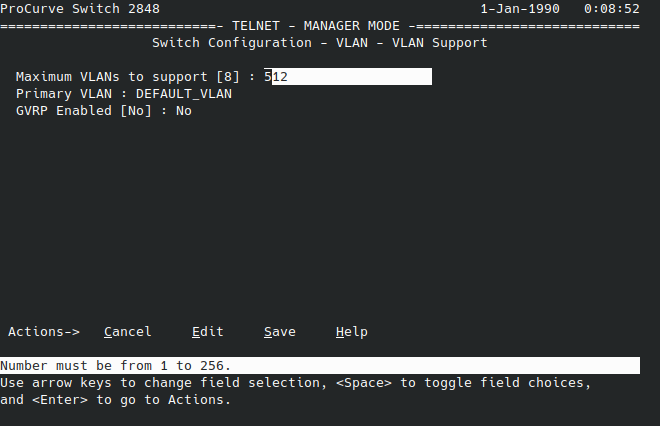
以下是使用 telnet 轻松更改此值的方法:
- 通过
telnet [交换机 IP 地址]连接到交换机。 - 使用
menu进入菜单模式 - 使用箭头键导航到
2. Switch Configuration并按Return。
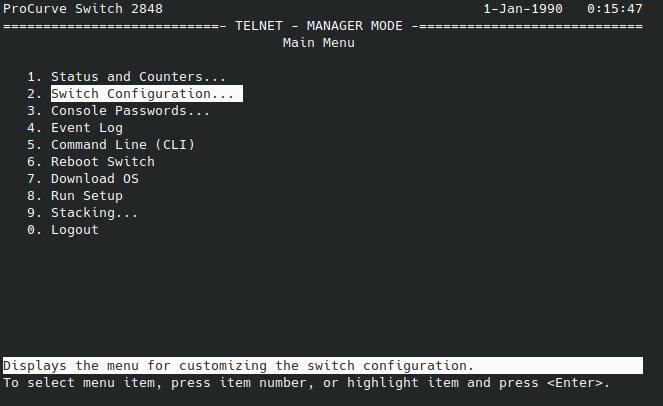
- 使用箭头键导航到
8. VLAN menu并按Return。
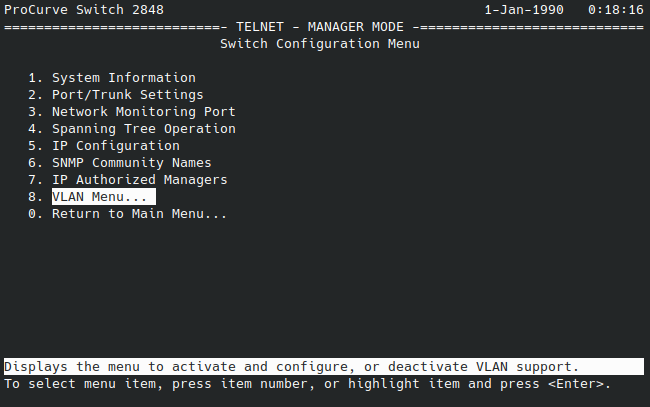
- 使用箭头键导航到
1. VLAN support并按Return。
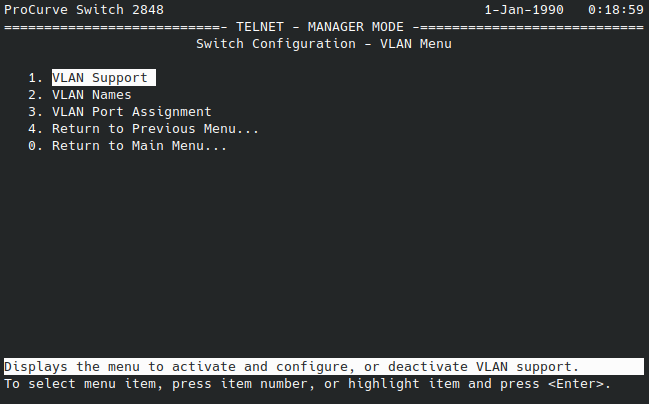
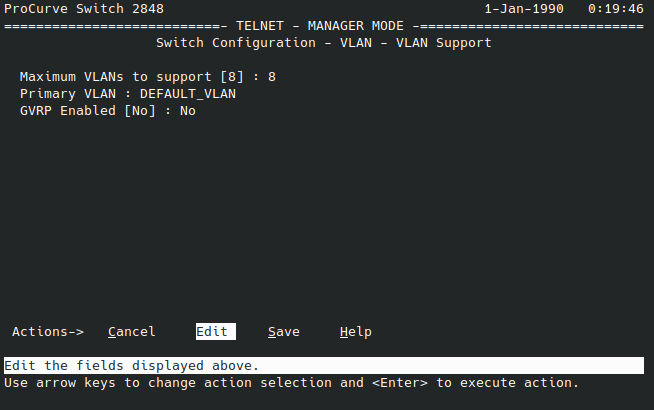
- 使用箭头键选择
Edit并按Return。
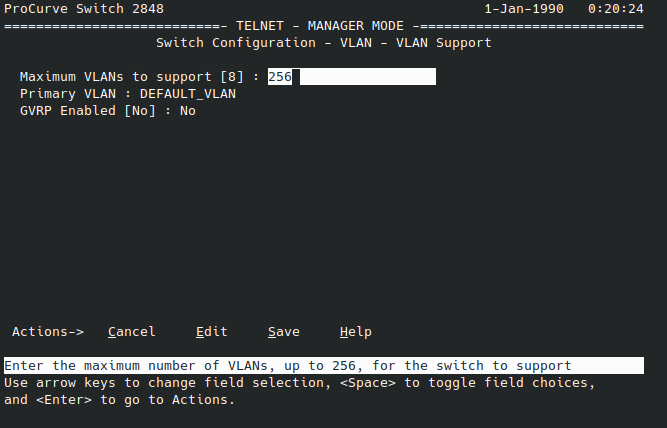
- 输入
256(这将覆盖默认值8)并按Return。
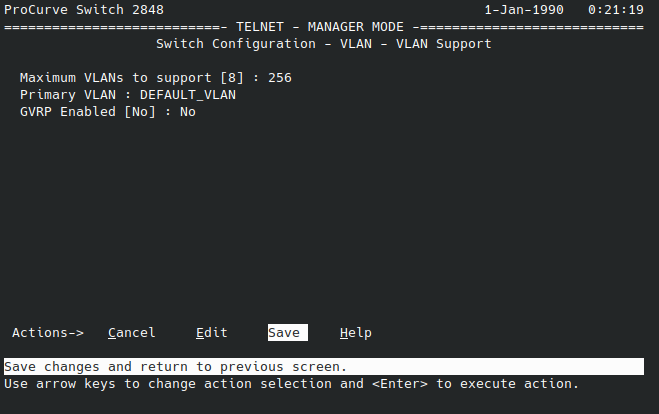
- 使用箭头键选择
Save并按Return。
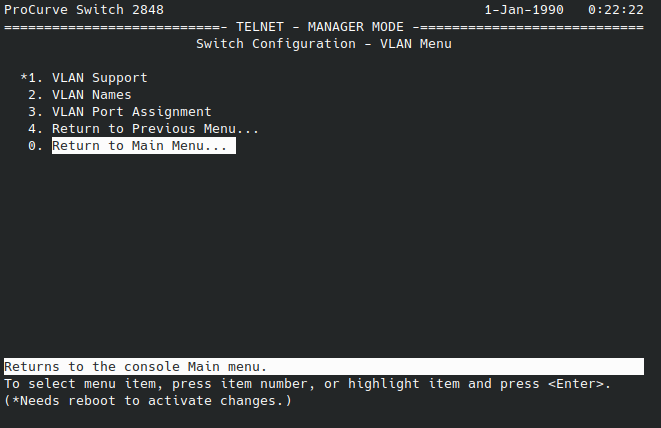
- 使用箭头键选择
Return to Main Menu并按Return。注意,1. VLAN support值用*表示该值已更改,需要重启才能激活更改。
- 使用箭头键选择
6. Reboot Switch并按Return。
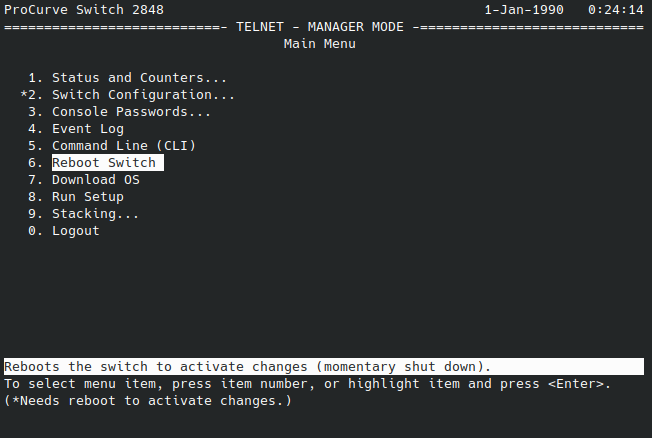
- 按
Y选择Yes确认重启,然后按Return确认。
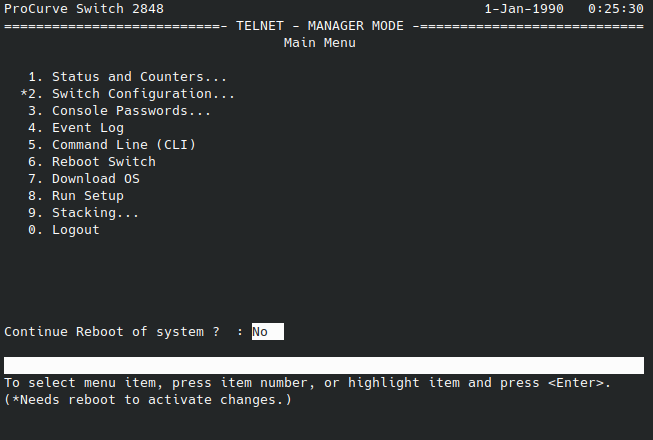
交换机将显示 Rebooting the System 并相应地重启。重启后,你可以通过再次进入菜单并导航到 8. VLAN menu 然后 1. VLAN support 来验证支持的 VLAN 数量是否已更改为 256。
Check out similar posts by category:
Networking
If this post helped you, please consider buying me a coffee or donating via PayPal to support research & publishing of new posts on TechOverflow